The weekend market slot is finally yours. The day before, you were still printing the price list, sorting the products, and checking the tablecloth and the extension cord. Only after you arrive does this come up: If a guest wants to pay by card or with LINE Pay, is the stall’s connection steady enough?
The awkward moment is not a phone that cannot play a video. It is a guest already holding up a phone to pay, while the staff watches the checkout screen spin. People are still lined up behind them. Business is actually good, and the network is what sticks. A pop-up shop may also need to update stock in real time, an exhibition booth may need to register names, and a creator may want to go live while they are there. Each job looks like it uses only a little data. Once several of them run together, the pressure is completely different.
This piece sorts those questions out with you. For a market that lasts only 2 days, do you need a separate connection? Can a phone hotspot be used with a POS card reader? About how much data should you set aside for one livestream? And which kind of stall actually fits a short-term Taiwan eSIM? Whether this is your first stall or you have already worked several events, you can prepare from the same list.
The short version: For a small stall open for 1 to 3 days, a phone that supports hotspot sharing plus short-term mobile data is usually a light option worth weighing. If the card equipment needs a designated SIM, a fixed IP, or the whole event cannot tolerate a drop, check with the payment-device supplier and the venue first. Do not treat one travel eSIM as a universal business line.
1. What stalls fear is not a missing Wi-Fi sign. It is finding out at checkout that the connection will not work
Many market organizers offer Wi-Fi, and it sounds convenient. On the day, vendors, staff, and visitors may all be online at once, and the site may have tents, partitions, or a dense crowd. A phone that shows Wi-Fi as connected does not mean the payment service you use will run smoothly. Opening time, lunch, and the afternoon rush are the hours that actually need a test.
Another case is using your own phone. Chat and order lookups are fine on a normal day. Then you turn the hotspot on so a tablet and a laptop can join, and the battery drops fast. Someone on the team uploads photos, someone else syncs cloud files, and the data you had set aside quietly shrinks. The phone did not suddenly get worse. One person’s browsing became the working network for the whole stall.
Before you pick a plan, ask yourself which job cannot stop. For a stall selling handmade goods, it may be the payment notification. For a food pop-up, it may be the ordering system. For someone livestreaming, it is a continuous upload. Rank those jobs, and you will not shop only by the top 5G speed written in an ad.
2. Do LINE Pay, JKOPay, and a POS card reader all need the vendor’s own internet?
This part is easy to mix up. A fixed QR code for taking payment does not mean every stall needs a card reader. With some merchant static-code services on LINE Pay and JKOPay, the guest scans the standee and pays on their own phone. The vendor can check transaction notices and records in the merchant tool. Even if the shop tablet is offline for a moment, the guest may still finish. The vendor just will not see the notice in real time, and must confirm the money through the channel the provider gives. A success screen on the guest’s phone is not enough to treat the payment as received.
A POS terminal that reads a guest’s credit card, or a contactless card, is a different case. Some units have a built-in 4G SIM. Some use Wi-Fi. Some small card readers connect to a phone by Bluetooth, and the phone app then sends the transaction. Bluetooth only links the card reader to the phone. It does not mean the payment can go through without internet. Before the event, ask the device maker or the acquirer whether a phone hotspot is allowed, and whether you can switch the way it connects.
One point that often gets missed: receiving 5G does not mean every payment backend will let you sign in. Some Taiwan eSIMs pick up a signal on a local carrier network, while the internet exit may sit outside Taiwan. If a POS backend, a bank service, or a company system restricts IP regions, it may ask for extra verification or refuse access. Any plan you will use to take payment has to be tested on the actual device first.
3. Three ways to get short-term event internet: start with the size of the stall
| Option | Who it fits | What you gain | Watch for |
|---|---|---|---|
| Organizer or venue Wi-Fi / wired network | Indoor halls, brand booths with a lot of gear | No need to share from a phone for a long stretch | Peak speed, login limits, security, and whether it is an exhibitor-only network |
| Your existing mobile line plus a phone hotspot | A one-person stall, a small craft market | Easiest to start, no extra card to buy | Data left on the monthly plan, battery, signal, and hotspot limits |
| A short-term eSIM plus a phone that can share | A pop-up, market, or temporary backup of 1 to several days | Flexible days, no long-term number to apply for | The device must support eSIM. Check hotspot, exit IP, the throttle, and usage limits |
If you have only one phone, and you use it to match payments, message partners, and look up an order now and then, the mobile data already on your monthly plan may be enough. You do not have to buy more data just because someone called it business use. The other way around is also true. If you already know the hotspot will stay busy across 2 weekend days, and the monthly allowance is close to running out, a second data source is worth a lot.
If you are organizing an event with 30 stalls, an outdoor concert, or a livestream that runs for days in a row, the network plan should move up a level. Look at a wired venue circuit, a mobile router, backup from a different carrier, or a specialist who provides event networks. Phone sharing can be one layer of backup. It should not carry every job.
4. Which devices can share a phone hotspot? Match them to this list first
Phones, tablets, and laptops: They can usually join a phone Wi-Fi hotspot that is already set up. Checking a web-store admin, looking up stock, and sending a LINE message are all straightforward. A laptop may quietly sync a cloud drive or download updates. Before you open, turn off large background transfers.
Ordinary Wi-Fi POS devices: If the supplier allows a connection to an ordinary Wi-Fi network, ask whether that includes a phone hotspot. Before the event, walk through login, a lookup, checkout, and a refund. Do not stop when the screen shows a Wi-Fi icon.
Bluetooth card readers: The companion app on the phone usually sends the transaction. What matters is whether that app can use the mobile-data line you selected, whether merchant registration is finished, and whether any special network limit applies. A successful Bluetooth pairing is not the whole test.
Card terminals with a built-in carrier SIM: Many models use their own SIM or eSIM together with the acquirer’s service. They cannot necessarily switch over to your phone’s hotspot. Confirm this with the manufacturer. Do not buy an eSIM first and then find out it cannot go into the machine at all.
A phone or tablet used for livestreaming: You can often install a compatible eSIM on that device and let it go online by itself. That is usually easier to manage than sharing through another phone. If you will attach cameras, an encoder, or a stream with several people, confirm how that gear takes a network connection and how steady the upload needs to be.
5. A stall open for 3 weekend days: how much data should you buy?
Instead of asking whether some number of GB is enough, write down what the stall will do each day. Confirming a payment, receiving text messages, and updating a little stock usually use far less data than a continuous livestream. Large photo uploads, automatic computer sync, and short-video playback are what tend to empty the allowance quickly.
The tiers below are planning tiers for buying data, not a field measurement or a guaranteed amount:
| What the stall is doing | Where to start the daily plan | How to leave a margin |
|---|---|---|
| One person confirming payments, messages, and a few order lookups | Start the estimate around 1GB | Check what the payment system needs, and keep spare data |
| Payments plus 2 devices, plus photos and cloud forms | Start around 2–5GB | Turn off background updates, and watch shared data |
| Livestreams, frequent video uploads, or several people sharing | Estimate from a real test at the platform quality you will use. It may be more than several GB a day | Put steady upload first, along with a larger high-speed allowance and a separate backup |
For example, if you expect to use 2GB a day, the base need for 3 days is 6GB. Leave about a 30% buffer, and you can start from a total around 8GB. That is only a way to estimate. It does not mean 8GB is guaranteed to carry every livestream. Before the event, run a 30-minute test on the same devices at the same quality. That comes closest to what you will really use.
What matters more than the total is what happens after the high-speed data runs out. Some daily plans throttle to about 128 kbps once the high-speed allowance is used up, and even sending a message can become a struggle. Some total-data plans simply stop providing data when they are used up. If the line is for taking payment while you are open, do not spend the last of the high-speed allowance on video. Keep a separate allowance for the device that takes payment.
6. How do you set up a phone hotspot? iPhone and Android are both straightforward
iPhone: let the eSIM handle data, and keep the original number for calls
First confirm the iPhone supports eSIM, and that the plan is installed from the order details. Go to Settings → Cellular (Mobile Service on some phones) and set mobile data to the eSIM you want to use. If the product is a roaming plan, turn on Data Roaming as that plan’s notes say. If the original number still needs calls or SMS, leave that line on, and turn off Allow Cellular Data Switching when you need to, so you do not accidentally use the original plan’s data.
Then go to Settings → Personal Hotspot, allow other people to join, set a Wi-Fi password that is strong enough, and have the tablet or laptop choose this phone from the Wi-Fi list. An iPhone hotspot shares whichever cellular line is currently selected for mobile data. If you installed a short-term eSIM but forgot to switch mobile data over to it, the hotspot may still draw on your original monthly plan.
Android: confirm which SIM provides mobile data, then turn the hotspot on
Menu names differ a little by Android brand. You can usually go to Settings → Connections / Network & internet → SIMs / Mobile network and choose the eSIM that should go online. Then open Portable hotspot / Hotspot & tethering, and set the Wi-Fi name and password. After the other device joins, turn off its other network sources and open a webpage as a real test.
If an older POS only recognizes 2.4GHz Wi-Fi, check the phone’s hotspot compatibility or band options. For a long session, have power ready, and keep the phone somewhere ventilated, out of direct sun. In a summer outdoor tent, heat that makes the system slow itself down gets in the way of work more easily than you might expect.
7. The day before the stall, one run through this list beats calling for help on the day
Finish the basic network setup at home. Make sure the phone can go online on the eSIM, and that the hotspot lets a laptop or tablet connect. Check that turning the plan on early will not waste the validity you bought. On the day, leave time before you open the stall to test on site, because indoor and outdoor signal, the organizer’s venue, and the crowd are all different.
Walk through a real sales flow once: open the store admin, scan a code to view an order, open the payment app, confirm the result, and save the transaction record. If the payment service allows it, use an official test transaction. If there is no test mode, run a small live charge under the official rules, and match the record carefully. Do not practice with a fake payment screenshot from an unknown source.
Then move the phone to the actual cashier spot. Seeing a signal does not mean the same phone under the table is just as good. Metal shelving, underground space, and indoor dead zones can all weaken it. Shifting the phone a little, and not packing it into a metal box, sometimes helps more than restarting again and again.
Three small moves are very practical: turn off laptop system updates and automatic photo backup, pack a charging cable and a power bank, and save the organizer’s phone number and support contacts somewhere you can read offline. If the venue Wi-Fi misbehaves, you at least know who to reach first.
8. If the connection really drops, do not rush. Rule things out in order
Step 1: figure out where the problem is. If the vendor’s own phone cannot open an ordinary webpage either, start with mobile data, signal, and the plan status. If the phone is fine and only the POS fails, check the Wi-Fi the POS joined, the supplier settings, and the payment backend. Do not blame every failed payment on the carrier signal.
Step 2: switch connections and cross-check. Temporarily turn off the phone’s Wi-Fi and use only the eSIM mobile data to open an ordinary site. Once that works, turn the personal hotspot back on. The other device can forget the old Wi-Fi and join again with the password. If another independent network is already ready, use it to see whether only one network on site has failed.
Step 3: check the high-speed allowance and the plan dates. Full signal bars with a spinning screen sometimes mean the high-speed data is already used up, not that the tower is broken. Also check whether mobile data is still on the original monthly plan instead of the eSIM, whether a roaming plan needs data roaming turned on, and whether the order timer has started or already ended.
Step 4: confirm the status of an important payment before you do anything else. If the screen does not answer right away, do not have the guest pay a second time. Match the charge in the provider’s transaction lookup or the store admin, and contact the acquirer’s support if you need to. Writing down the order time and the transaction number is safer than retrying over and over.
9. 1 day, 3 days, or 7 days: how to choose a JEKO Taiwan eSIM
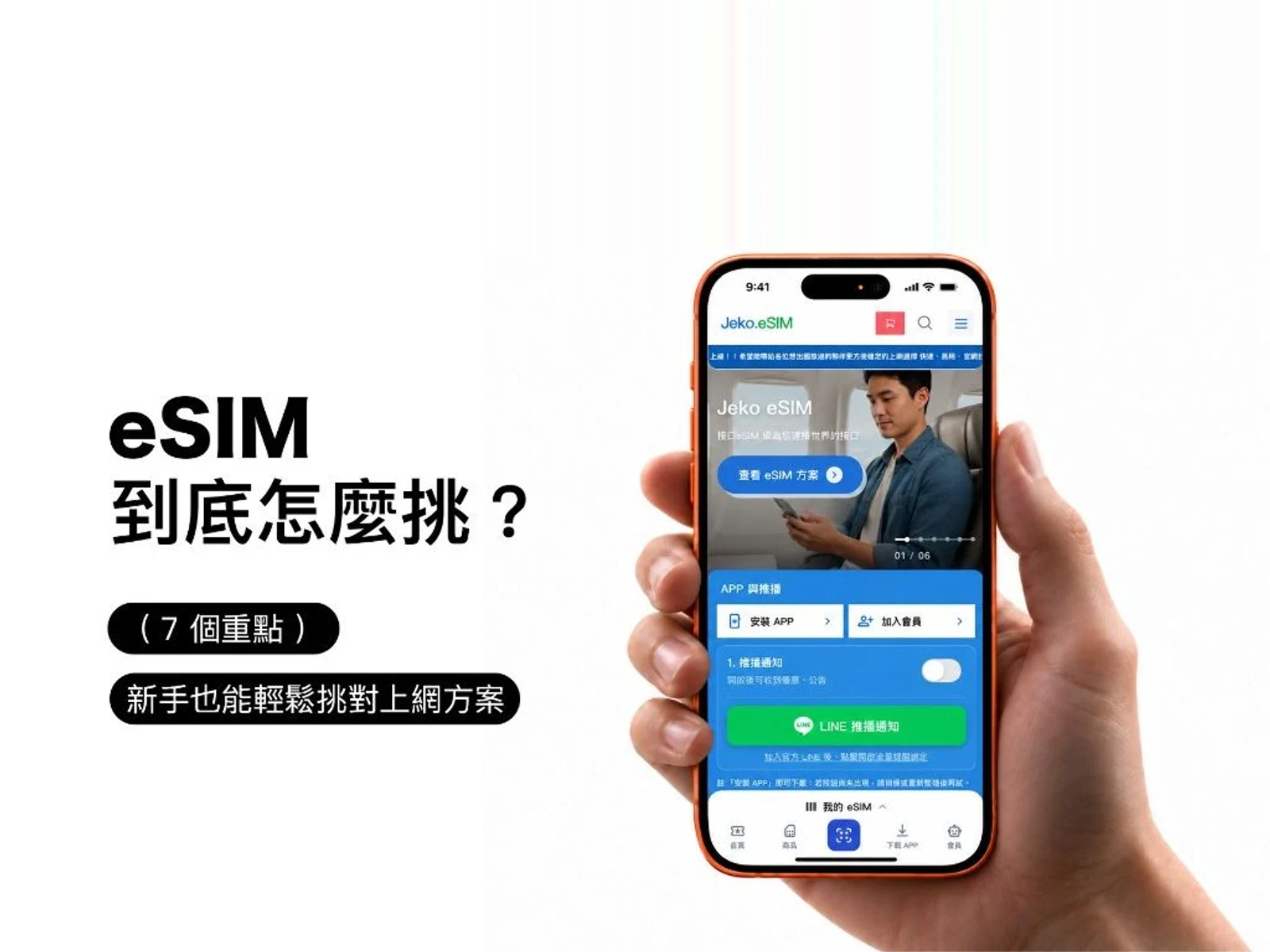
If you do not want a long-term monthly line just for an occasional market, you can treat the JEKO Taiwan eSIM plans as a candidate for a few extra days of data you can share. The types below follow what the product page lists now. Days, price, and the variant still have to be chosen one by one when you order.
Daily plans: a fixed high-speed allowance each day, for stalls whose workload stays fairly even
The Taiwan daily eSIM lists high-speed options such as 500MB, 1GB, 2GB, and 3GB a day. It uses the Taiwan Mobile network and supports hotspot. After the high-speed data is used up, most variants throttle to about 128 kbps. Certain specs continue at 5Mbps instead. It fits people whose main work looks similar each day and who want to manage data by the day. If a checkout system has to stay smooth the whole time, do not use a plan that has already dropped to a very low speed as your only connection.
Total-data plans: you divide the 3 days yourself, and the risk is running out on the last day
The Taiwan total-data eSIM lets you share the high-speed amount you chose across the validity period. The product page offers Taiwan Mobile, and a dual network of Taiwan Mobile / Chunghwa Telecom. After the high-speed data is used up, both throttle to about 128 kbps and continue at that reduced speed. This type fits uneven days: more setup and photos on the first day, more payments on the second, and uploads while you pack on the third. You decide how to split it.
Plans that keep going after a throttle: worth a look if you still want messages all day, but watch the high-speed line
The Taiwan unlimited / throttled-continuation eSIM pairs a daily high-speed allowance with a follow-on speed. It fits people who do not want to count every bit of data and who still want a basic connection after the high-speed portion is used up. Unlimited here does not mean top speed all day, and it does not mean an unlimited high-quality livestream. Continuous uploads, sharing with several people, or POS use should still be chosen against the real speed and the service rules.
All three currently say they support hotspot and provide data only. They do not include a Taiwan mobile number, and they do not provide ordinary voice calls or SMS. Some plans use an overseas-IP roaming route, so test first on a POS, a bank service, company ERP, or any service that must see a Taiwan IP. Vendors who need an invoice, or who are buying several plans, should ask JEKO support before checkout which receipts, tax ID details, and purchase steps are supported now. Do not assume one company invoice can definitely be issued for the whole order.
10. A sample network plan for a 3-day market: one person can follow it
Say you move in and set up on Friday, then sell on Saturday and Sunday, with one phone, a tablet, and a card reader. The first job is not to buy the largest data pack. Ask the card-reader supplier whether this unit can work through the phone’s internet. If it already has a built-in SIM, check that SIM’s own rate and signal first. An external eSIM may not be needed at all.
Then look at how much data is left on the phone’s monthly plan. If it is enough and the venue signal is decent, use the phone hotspot as the main option, and prepare another carrier or the venue network as backup. If little of the monthly allowance is left, compare the total data and the number of days on a short-term eSIM, and cover the whole event, including move-in and move-out. Do not buy only Saturday and Sunday, then remember on Friday that the tablet already needs data for stock checks.
On Friday, test the products, the payment flow, and the payment notices. Test again before you open on Saturday. Keep the tablet on the working network only. If the livestream phone uses a lot of data, give it its own plan. Do not let the livestream eat the data reserved for checkout. Before you head home, match the transactions. Back up the orders and photos later, when you have stable Wi-Fi. That goes much more smoothly than every device uploading at full speed the moment it comes online.
11. Common questions the first time you run a stall on a short-term eSIM
Q1: I only have 2 weekend days. Do I need a separate connection?
Not necessarily. If the original number still has plenty of data and the signal is good, a small one-person stall may be fine on the phone hotspot alone. A short-term eSIM is more worth weighing when several devices will share, you are already near the monthly cap, or you want a backup.
Q2: Can one eSIM be shared with 3 devices?
A plan that supports hotspot can be shared from a compatible phone to other devices, but how many can join depends on the phone, the system, and the provider. More connections also draw on the same data. Do not put an important payment device on the same allowance as a high-data livestream.
Q3: If I buy a JEKO eSIM, will every POS card reader be able to connect?
That cannot be promised. It depends on how the POS goes online, whether a hotspot is allowed, and whether the payment provider limits overseas IPs, VPNs, or device binding. Confirm the model and test it. When you need to, keep the original dedicated SIM or use a wired network.
Q4: With a fixed QR code, can the shop still take payment with no internet of its own?
Some payment services let the customer scan the shop’s fixed code and pay on the customer’s own connection. If the shop is offline, the transaction notice may not arrive in real time. Still verify it in the official admin, or by the method the provider specifies. Do not rely only on the guest saying they have paid.
Q5: Does 5G mean the line will not get congested?
No. Tower capacity on site, buildings in the way, the bands the device supports, and the plan’s speed limits all change how it behaves. If the organizer offers an exhibitor network, include that in the comparison. Do not look only at the highest speed figure.
Q6: Can one phone stay a hotspot for 8 hours?
Technically it can share for a long time, but power, heat, incoming calls, and system settings can all change the experience. Safe power, decent cooling, and a backup network you can actually switch to matter more.
Q7: The event includes a livestream. Is 1GB a day enough?
Do not decide from 1GB alone. Data for a continuous livestream depends on the platform, the quality, the bitrate, and the length, and it can run out quickly. Test first, and pick a high-speed allowance that is large enough. A large event should use a professional network plan.
Q8: After I add an eSIM, will my original calls and LINE be affected?
You can usually hand data to the eSIM and keep the original mobile number for calls and SMS. The LINE account does not switch by itself just because the data line changed. Still confirm it against the phone’s dual-SIM features, whether the original number is active, and your settings.
Finally: the point is not the most expensive network. Guests should be able to pay, and you should be able to sell with a calmer mind
The first time you set up a stall, there is a lot to remember: whether every product came with you, whether the price list is printed, whether the tent will hold if it rains, and whether the power bank is charged. The network matters too, but it does not have to turn into a complicated corporate IT project. First confirm how you will take payment, which devices you have, and how much data you will use, then prepare a main line and a backup. That already avoids a lot of trouble on opening day.
If it is only a short market, pop-up, or small brand event of 1 to 3 days, and you want one more shareable mobile-data plan on your own phone, compare daily, total-data, and throttled-continuation plans on the JEKO Taiwan eSIM plan page. Before you leave, confirm phone compatibility, how long the plan stays valid, and the hotspot rules. Test the payment system first, then greet every guest on site.